

|
|
The user can search for the declaration record(s) that were previously saved, created or submitted through SANAM Application.
To search the declaration
1. Open the Search page. (SAUDIEDI >> Export Declaration >> Search)
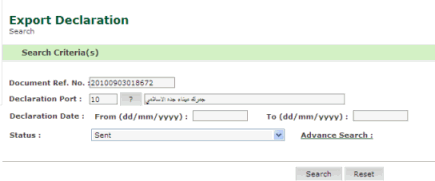
Export Declaration Search page
2. Enter the Document Ref. No.
3. Click Search.
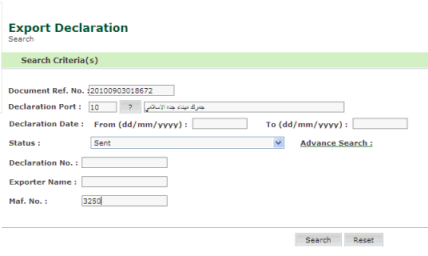
Export Declaration Advance Search page
4. Enter information in the search criteria fields.
| Field | Description |
Document Ref No
|
Enter the document reference number. |
Declaration Port
|
Select
the declaration port. If you do not know the port number click
|
Declaration From/To Date |
Select
the declaration date using the calendar  icon.
icon. |
Status |
Select the declaration status from the drop down list. |
Declaration No |
Enter the declaration number. |
Exporter Name |
Enter the exporter's name. |
Maf. No |
Enter the maf number. |
5. Click Search, the result screen is displayed.

Export Declaration Search Result Page
6. Click Document Ref No, to view the export declaration details.
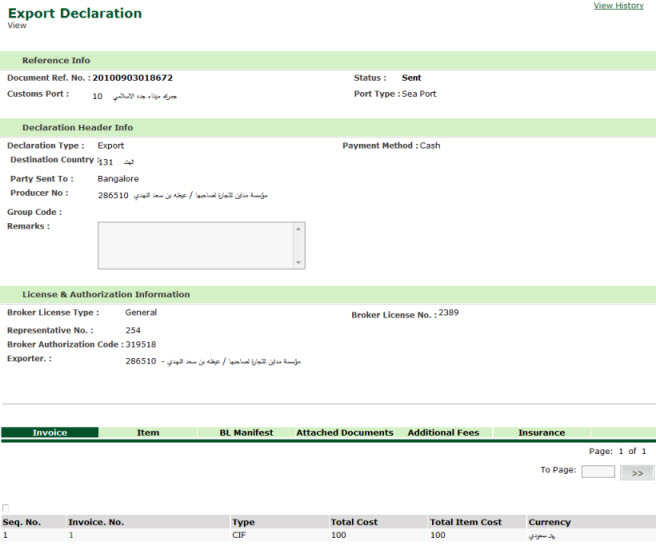
Export Declaration View Page
| Copyright SaudiEDI - 2012 |
 button.