

|
|
|
|
|
Users will received alert messages when there is any update of declarations from custom. To search for any alert messages, user can use the alert option from the menu.
To search the statistical declaration alerts
1. Open the Alerts page. (SAUDIEDI>> Statistical Declaration>> Alerts )
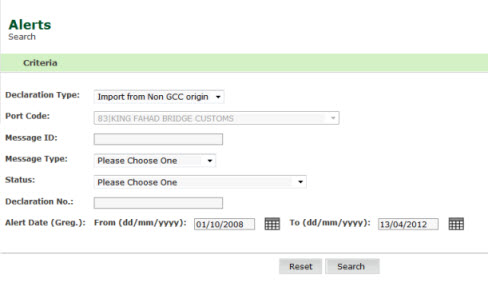
Alerts page
2. Enter the information in the search criteria fields.
| Field | Description |
|
Declaration Type |
Select the declaration type from the drop down list. |
|
Message ID |
Enter the message ID. |
|
Message Type |
Select the message type from the drop down list. |
|
Status |
Select the status from the drop down list. |
|
Declaration No |
Enter the declaration number. |
|
Alert From/To Date |
Enter the from/ to alert date. |
3. Click Search, the search result screen is displayed.
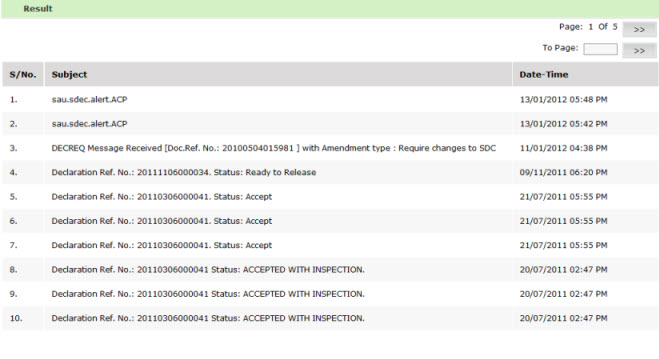
Search Result page
| Copyright SaudiEDI - 2012 |