

|
|
The section allows you to add or remove delivery order details of the statistical declaration. To access the delivery order section, click on the “Delivery Order” tab as illustrated in the image below.
To create delivery order details
1. Open the Delivery Order page.(SAUDIEDI>> Statistical Declaration>> Create>> Delivery Order)
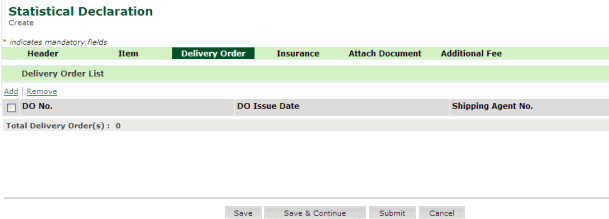
Delivery Order page
Related Topics: Removing Delivery Order Details Back To: Creating Statistical Declaration Details
|
| Copyright SaudiEDI - 2012 |