

|
|
The Item section allows you to add ECL Item(s) details of statistical declaration. To access the Item section, click on the “Item” tab as illustrated in the image below.
To add ECL item details
1. Open the Item page.(SAUDIEDI>> Statistical Declaration>> Search>> Items)
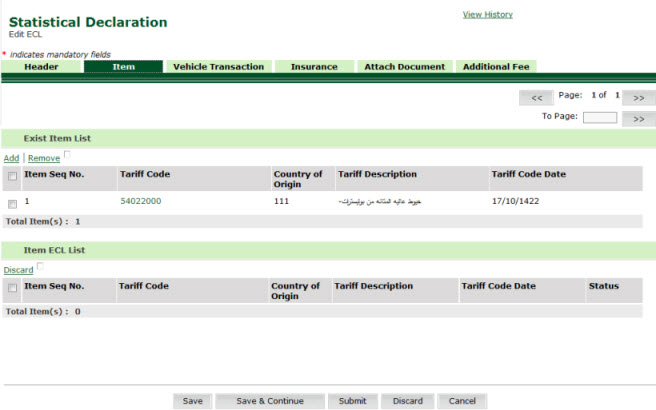
Items Create page
2. Click Add Hyper link. The Add Item Header Details page is displayed.
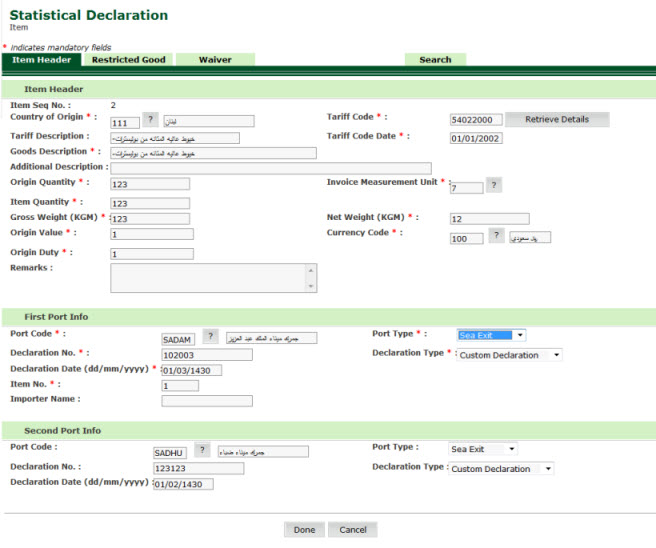
Add Item Header Details page
3. Modify the necessary information in the Item header fields.
4. Click on Waiver tab. The Waiver Details page is displayed.
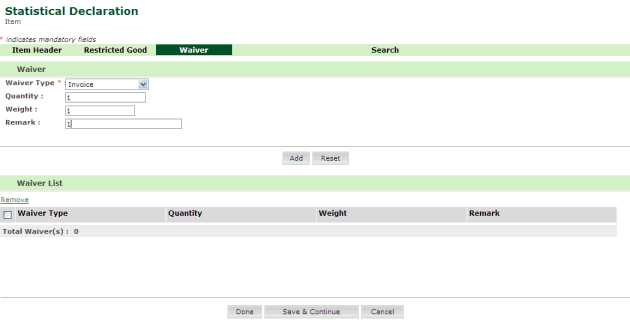
Waiver Details page
5. Click Done button. The Item Details page is displayed.
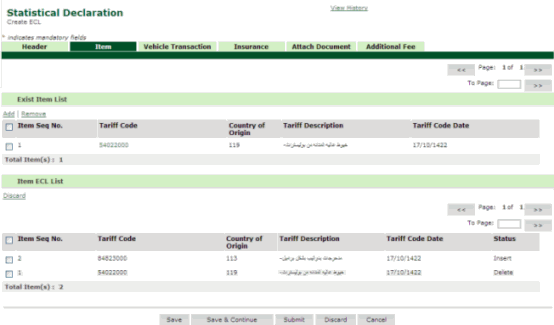
Item Details page
Related Topics: Back To:
|
| Copyright SaudiEDI - 2012 |