

|
|
This option is used to add the documents to the import declaration using the SANAM application.
To add the delivery order details
1. Open the Create page. (SAUDIEDI>> Import Declaration>> Create>> Delivery Order)
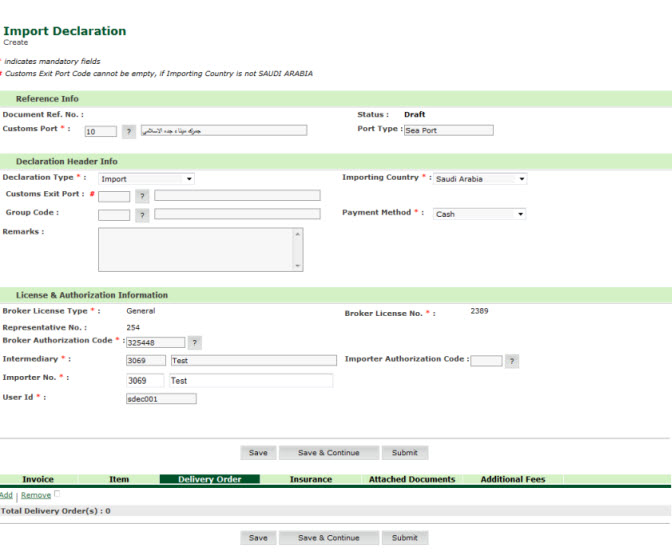
Import Declaration Create Page
2. Click Add link, delivery order search criteria page is displayed.
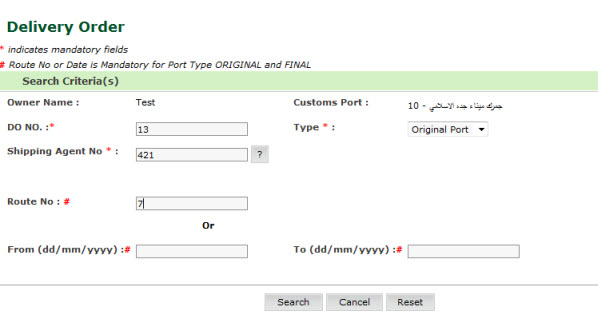
Delivery Order Search Criteria page
3. Enter the field values.
| Field | Description |
| DO No | Enter the delivery order number. |
Type |
Select the type of the delivery order from the drop down list. |
| Shipping Agent No | Enter
the Shipping Agent Number. To select the Shipping agent number,
click  icon. icon. |
| Route No | Enter the rote number for the delivery order. |
| From/To Date | Enter the from and to date for the delivery order. |
4. Click Search, the result screen si displayed.
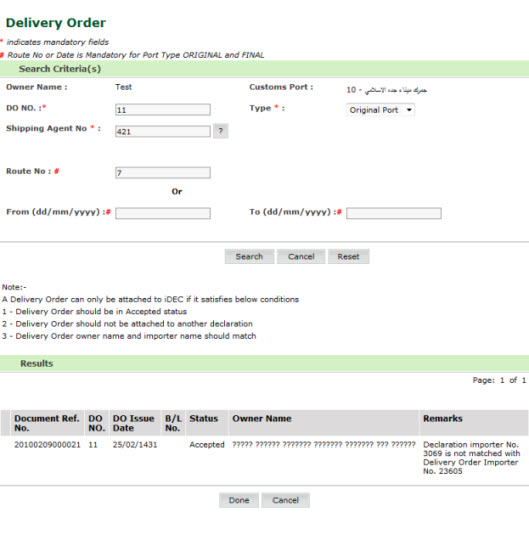
Search Result page
5. Click Done. The Delivery Order Added page is displayed.
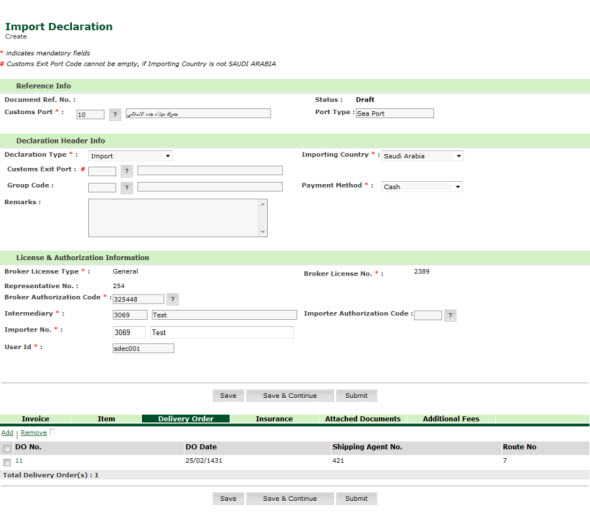
Delivery Order Added page
Related Topics: Back to:
|
| Copyright SaudiEDI - 2012 |