

|
|
|
|
|
This option is used to remove the item from the import declaration using the SANAM application.
To remove the item details
1. Open the Item page. (SAUDIEDI>>Import Declaration>>Create>>Item)
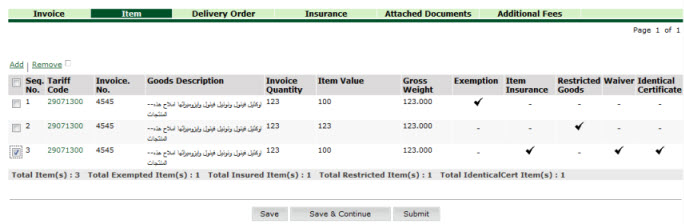
Item Remove page
2. Select the Corresponding Tariff Code check box.
3. Click Remove.
|
Related Topics: Back to:
|
| Copyright SaudiEDI - 2012 |